
Goal
To create a Hangman game
Introduction
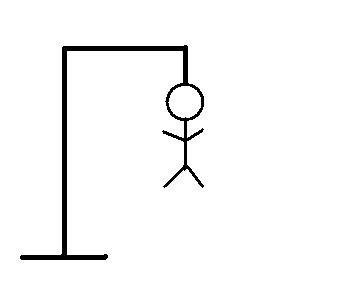
For this problem, you will implement a variation of the classic wordgame Hangman. For those of you who are unfamiliar with the rules, you may read all about it here. In this problem, the second player will always be the computer, who will be picking a word at random.
In this problem, you will implement a function, called hangman, that will start up and carry out an interactive Hangman game between a player and the computer. Before we get to this function, we’ll first implement a few helper functions to get you going.
For this lab you will start with the code here: https://repl.it/@JimSkon/HangmanStart
When you run it, it will load the words in the file words.txt.
Loading word list from file...
55909 words loaded.Code language: JavaScript (javascript)
The file main.py has a number of already implemented functions you can use while writing up your solution. You should read and understand how to use each helper function by reading the docstrings:
You will want to do all of your coding for this problem within this file as well because you will be writing a program that depends on each function you write.
Requirements
Here are the requirements for your game:
- The computer must select a word at random from the list of available words that was provided in words.txt. The functions for loading the word list and selecting a random word have already been provided for you in main.py.
- The game must be interactive; the flow of the game should go as follows:
- At the start of the game, let the user know how many letters the computer’s word contains.
- Ask the user to supply one guess (i.e. letter) per round.
- The user should receive feedback immediately after each guess about whether their guess appears in the computer’s word.
- After each round, you should also display to the user the partially guessed word so far, as well as letters that the user has not yet guessed.
- Some additional rules of the game:
- A user is allowed 8 guesses. Make sure to remind the user of how many guesses s/he has left after each round. Assume that players will only ever submit one character at a time (A-Z).
- A user loses a guess only when s/he guesses incorrectly.
- If the user guesses the same letter twice, do not take away a guess – instead, print a message letting them know they’ve already guessed that letter and ask them to try again.
- The game should end when the user constructs the full word or runs out of guesses. If the player runs out of guesses (s/he “loses”), reveal the word to the user when the game ends.
Sample Output
Step one: Is the word guessed
We’ll start by writing 3 simple functionvs that will help us easily code the Hangman problem. First, implement the function isWordGuessed that takes in two parameters – a string, secretWord, and a list of letters, lettersGuessed. This function returns a boolean – True if secretWord has been guessed (ie, all the letters of secretWord are in lettersGuessed) and False otherwise.
Example Usage:
>>> secretWord = 'apple'
>>> lettersGuessed = ['e', 'i', 'k', 'p', 'r', 's']
>>> print(isWordGuessed(secretWord, lettersGuessed))
False
For this function, you may assume that all the letters in secretWord and lettersGuessed are lowercase.
https://repl.it/student_embed/assignment/5592784/618899d2c816c6f1ae5d73d7bb22cd87
Step two: Printing Out the User’s Guess
Next, implement the function getGuessedWord that takes in two parameters – a string, secretWord, and a list of letters, lettersGuessed. This function returns a string that is comprised of letters and underscores, based on what letters in lettersGuessed are in secretWord. This shouldn’t be too different from isWordGuessed!
Example Usage:
 >>> secretWord = 'apple'
 >>> lettersGuessed = ['e', 'i', 'k', 'p', 'r', 's']
 >>> print(getGuessedWord(secretWord, lettersGuessed))
'_ pp_ e'
When inserting underscores into your string, it’s a good idea to add at least a space after each one, so it’s clear to the user how many unguessed letters are left in the string (compare the readability of __ with _ _ _ _ ). This is called usability – it’s very important, when programming, to consider the usability of your program. If users find your program difficult to understand or operate, they won’t use it!
For this problem, you are free to use spacing in any way you wish – our grader will only check that the letters and underscores are in the proper order; it will not look at spacing. We do encourage you to think about usability when designing.
For this function, you may assume that all the letters in secretWord and lettersGuessed are lowercase.
Repl: https://repl.it/student_embed/assignment/5592787/c3daa67522cde864f3cc45bdad1ab3bf
Step Three: Printing Out all Available Letters
Next, implement the function getAvailableLetters that takes in one parameter – a list of letters, lettersGuessed. This function returns a string that is comprised of lowercase English letters – all lowercase English letters that are not in lettersGuessed.
Example Usage:
>>> lettersGuessed = ['e', 'i', 'k', 'p', 'r', 's']
>>> print(getAvailableLetters(lettersGuessed))
abcdfghjlmnoqtuvwxyz
Note that this function should return the letters in alphabetical order, as in the example above.
For this function, you may assume that all the letters in lettersGuessed are lowercase.
Hint: You might consider using string.ascii_lowercase, which is a string comprised of all lowercase letters…
Repl.it:
https://repl.it/student_embed/assignment/5592789/e73e6d938a0e846e5c56beee4ce74fba
Step Four: Complete Game
Now you will implement the function hangman, which takes one parameter – the secretWord the user is to guess. This starts up an interactive game of Hangman between the user and the computer. Be sure you take advantage of the three helper functions, isWordGuessed,getGuessedWord, and getAvailableLetters, that you’ve defined in the previous part.
Hints
- You should start by using the provided functions (from the original repl.it) to load the words and pick a random one.
- Consider using lower() to convert user input to lower case. For example:guess = ‘A’ guessInLowerCase = guess.lower()
- Consider writing additional helper functions if you need them!
- There are four important pieces of information you may wish to store:
- secretWord: The word to guess.
- lettersGuessed: The letters that have been guessed so far.
- mistakesMade: The number of incorrect guesses made so far.
- availableLetters: The letters that may still be guessed. Every time a player guesses a letter, the guessed letter must be removed from availableLetters (and if they guess a letter that is not in availableLetters, you should print a message telling them they’ve already guessed that – so try again!).
Sample Output
See above.
Your function should include calls to input to get the user’s guess.
Grading
| Requirement | Points | Comments | Score |
|---|---|---|---|
| Meets all requirements | 70 | ||
| Code is broken up into functions, with one specific task per function | 10 | ||
| Each function is commented at top of function, after the function name | 10 | ||
| Program has meaningful comments, good variable names, and good formatting | 10 | ||
| Total | 100 |